Check each map against the sculpt
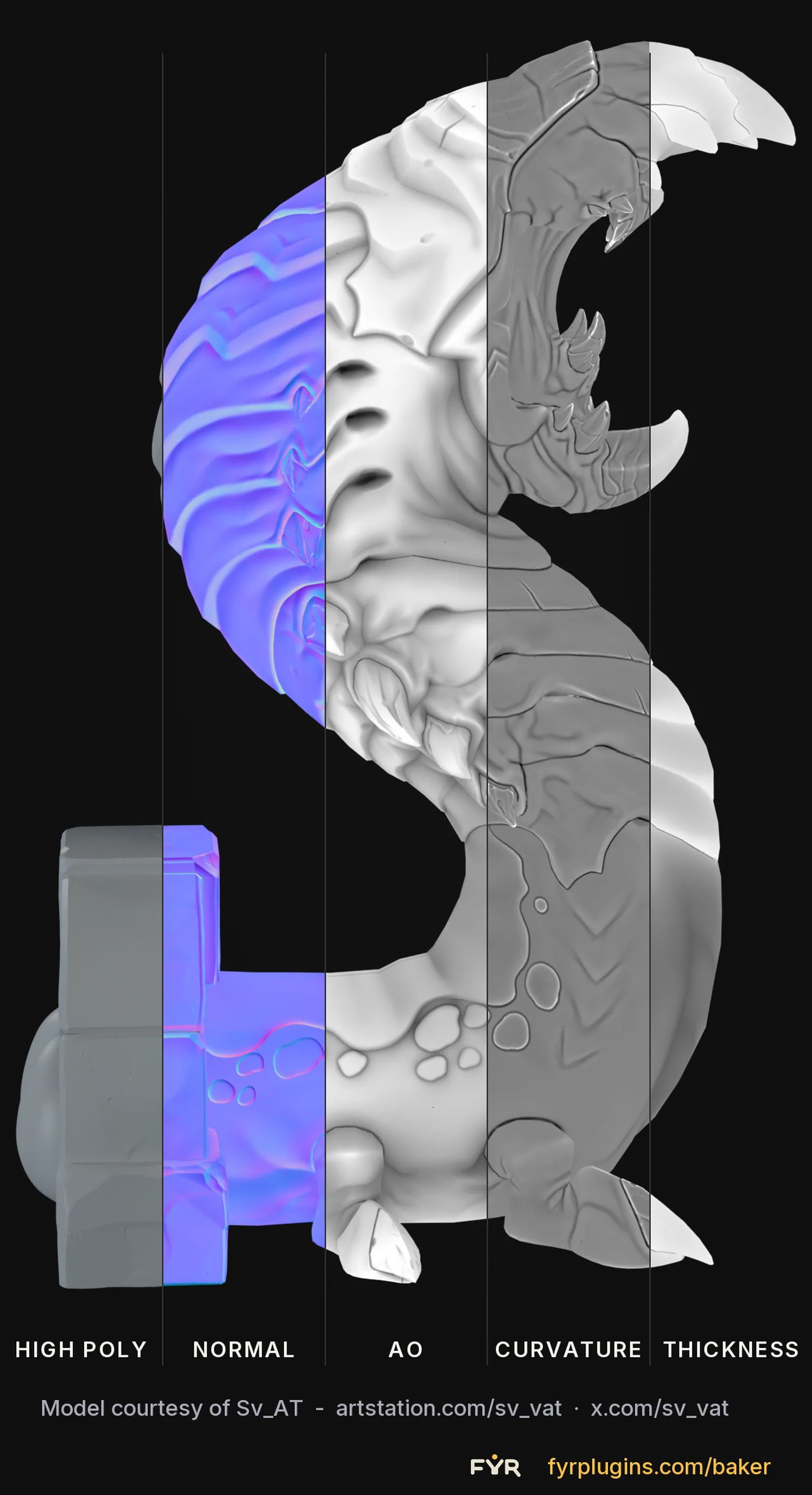
The same creature cut into vertical slices: the high poly, then the normal, AO, curvature and thickness bakes. It is a quick way to see whether a map has picked up the detail you sculpted before you export it.
Blender add-on
On Windows, Fyr Baker bakes with its own DirectX 12 ray tracer instead of Cycles. You set up the high and low poly, edit the cage in the viewport, and bake any of 25 map types without exporting anything. It works much like the baker in Marmoset Toolbag or Substance 3D Painter, and the whole setup is saved in your .blend.
One-time purchase · No license keys · Blender 5.1+
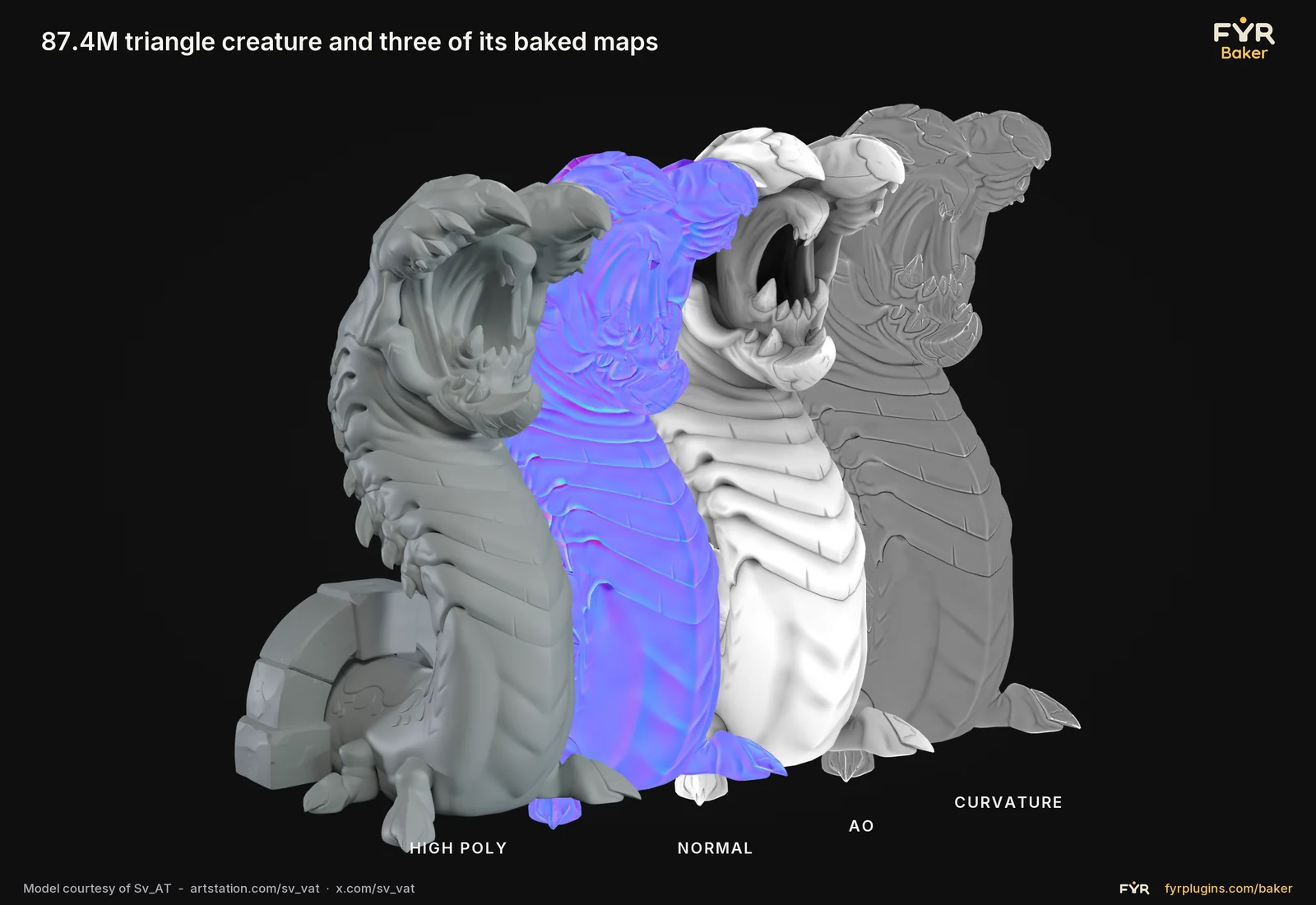
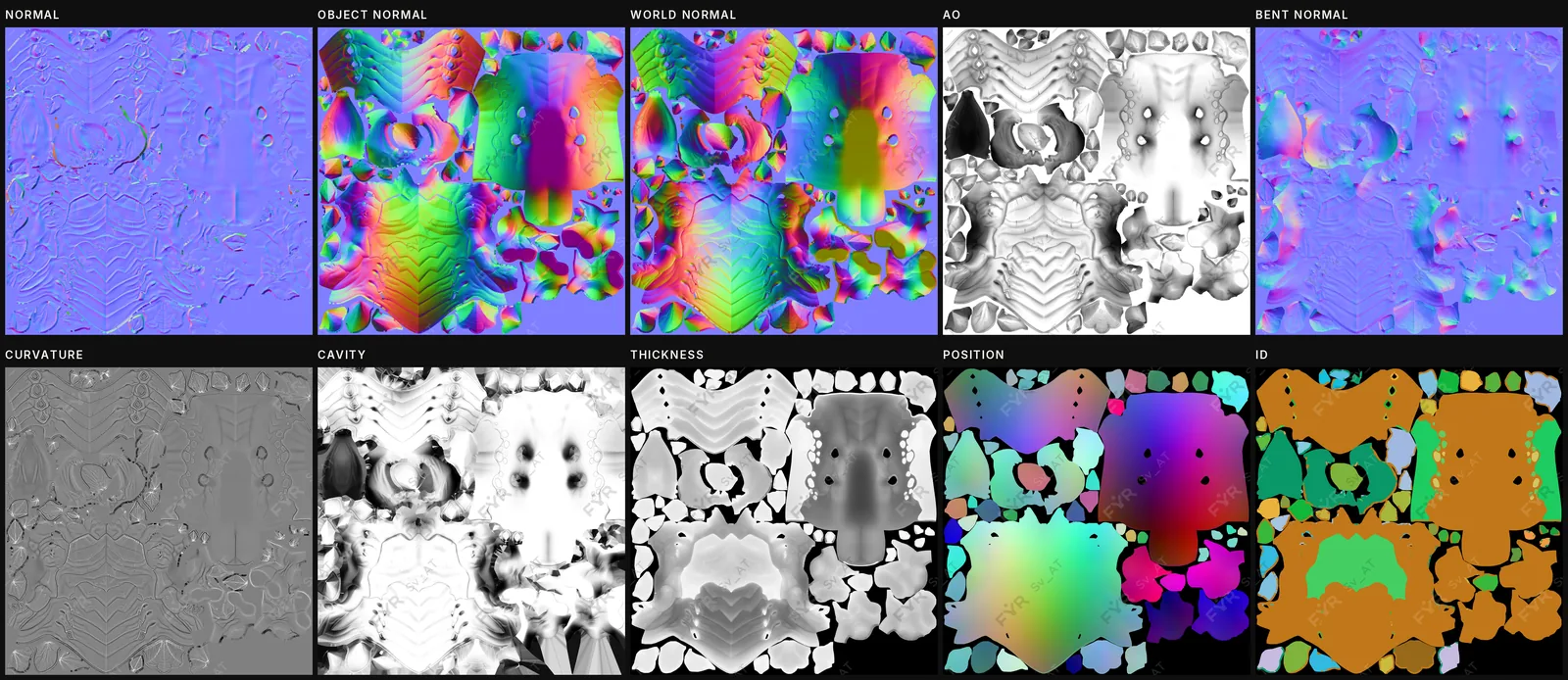
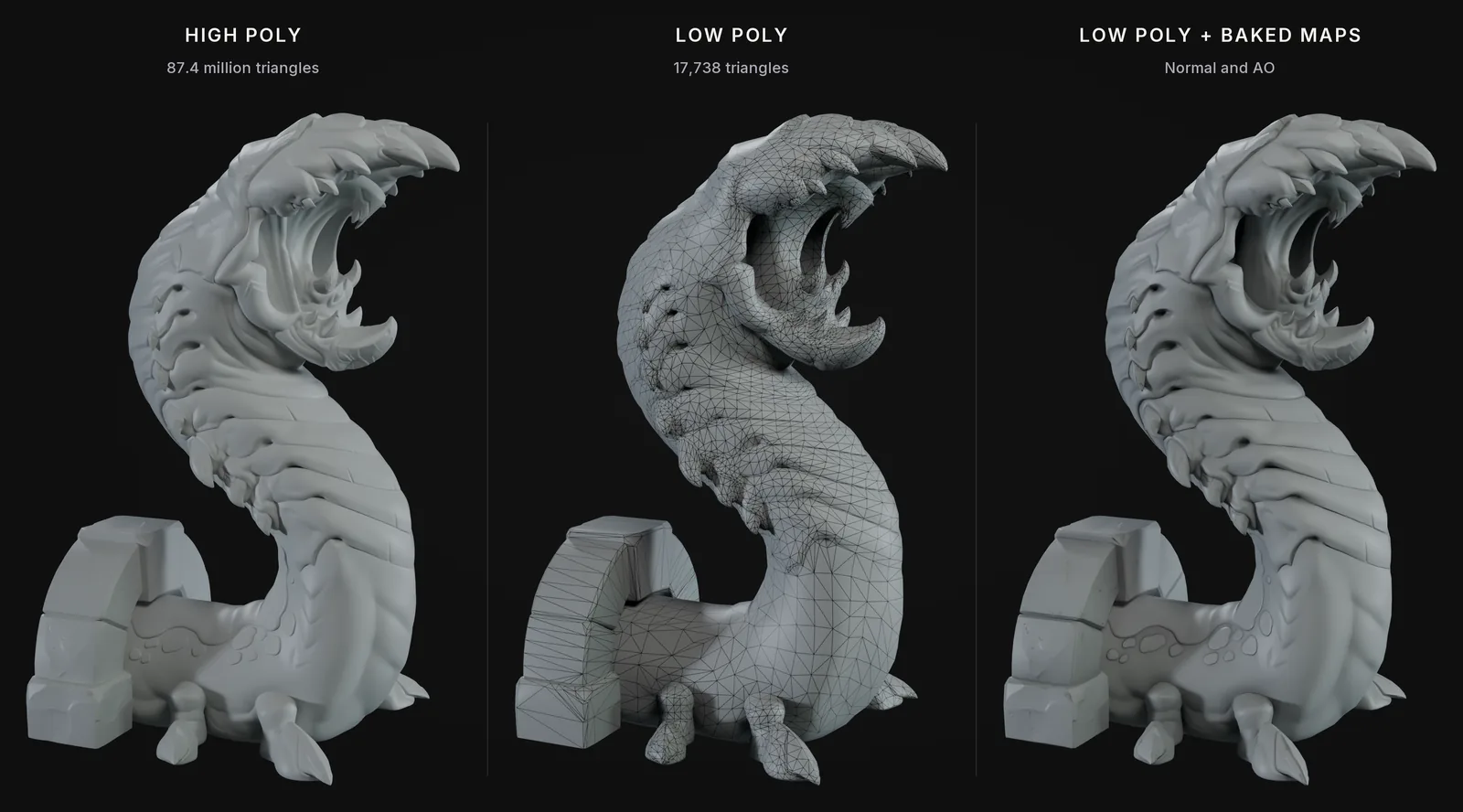
87.4 million triangles down to 17,738, with the detail carried by the baked maps.
The same creature cut into vertical slices: the high poly, then the normal, AO, curvature and thickness bakes. It is a quick way to see whether a map has picked up the detail you sculpted before you export it.
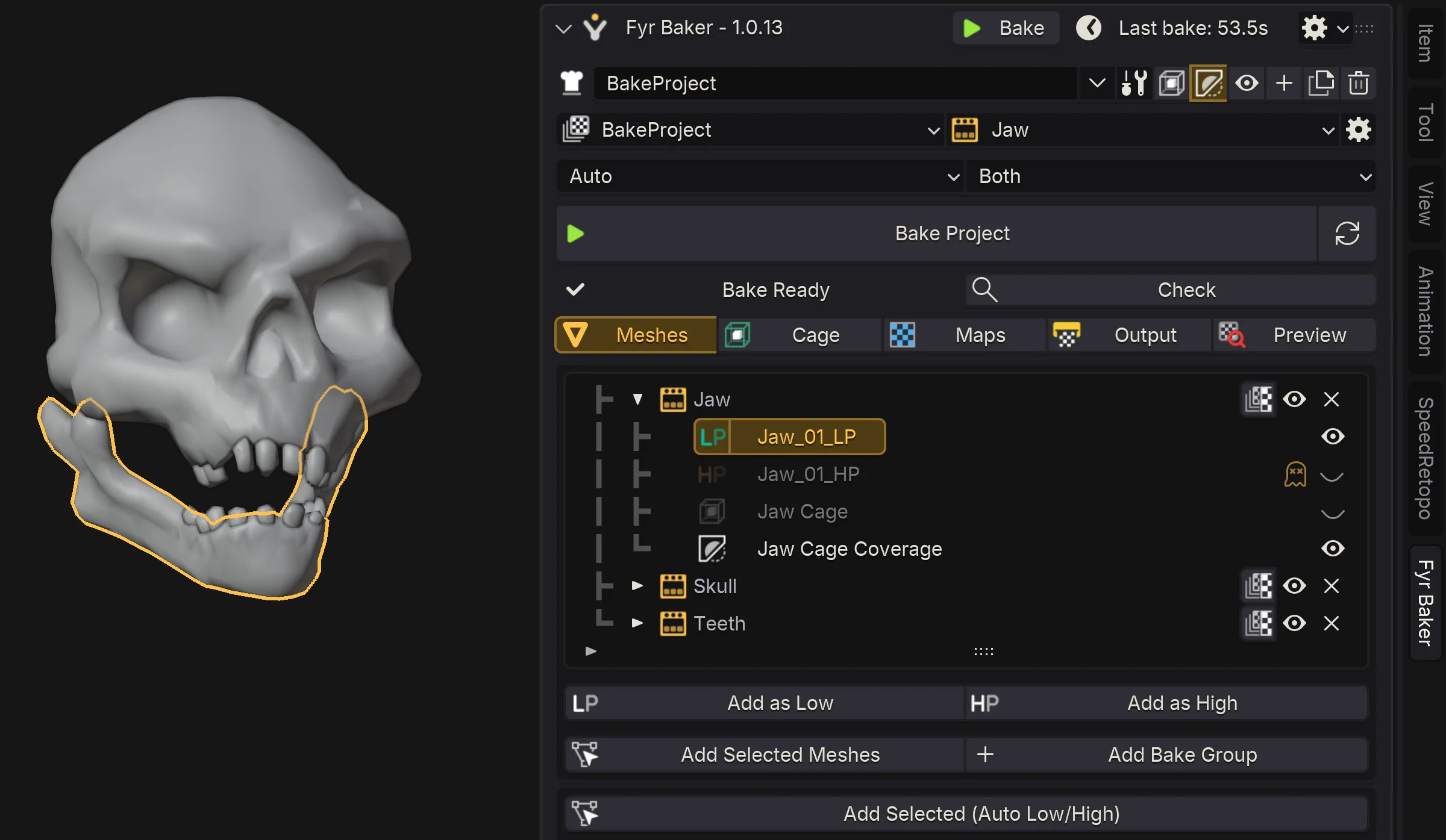
Assign the low poly, high poly, cage and texture set in your scene. The setup is saved in the .blend, so when a mesh changes you just bake again.
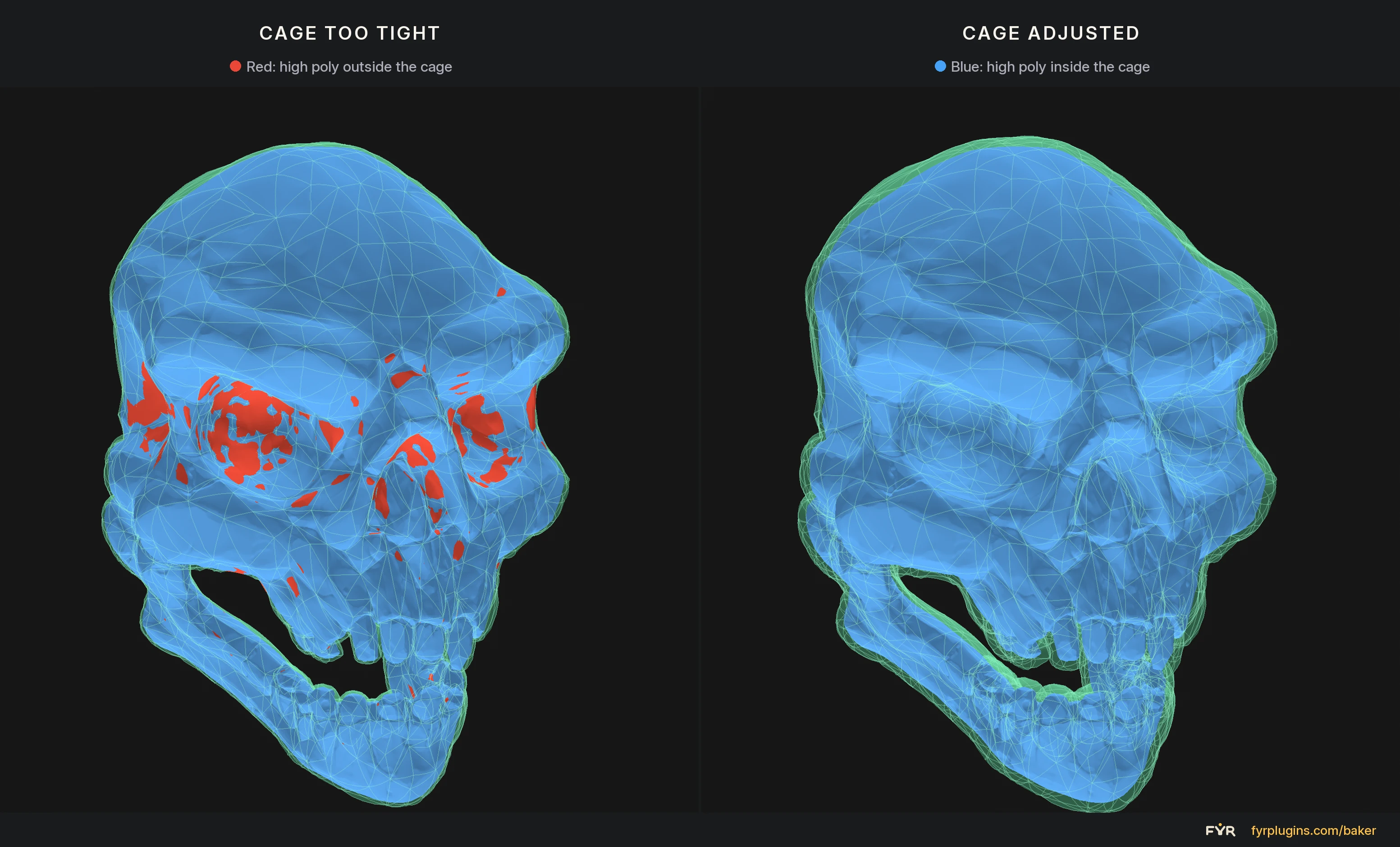
Fyr Baker estimates a cage distance for you. Push the cage out where it falls short, and the viewport shows which areas the rays still miss. You can also paint the offset on just those areas, so the rest of the cage stays tight.
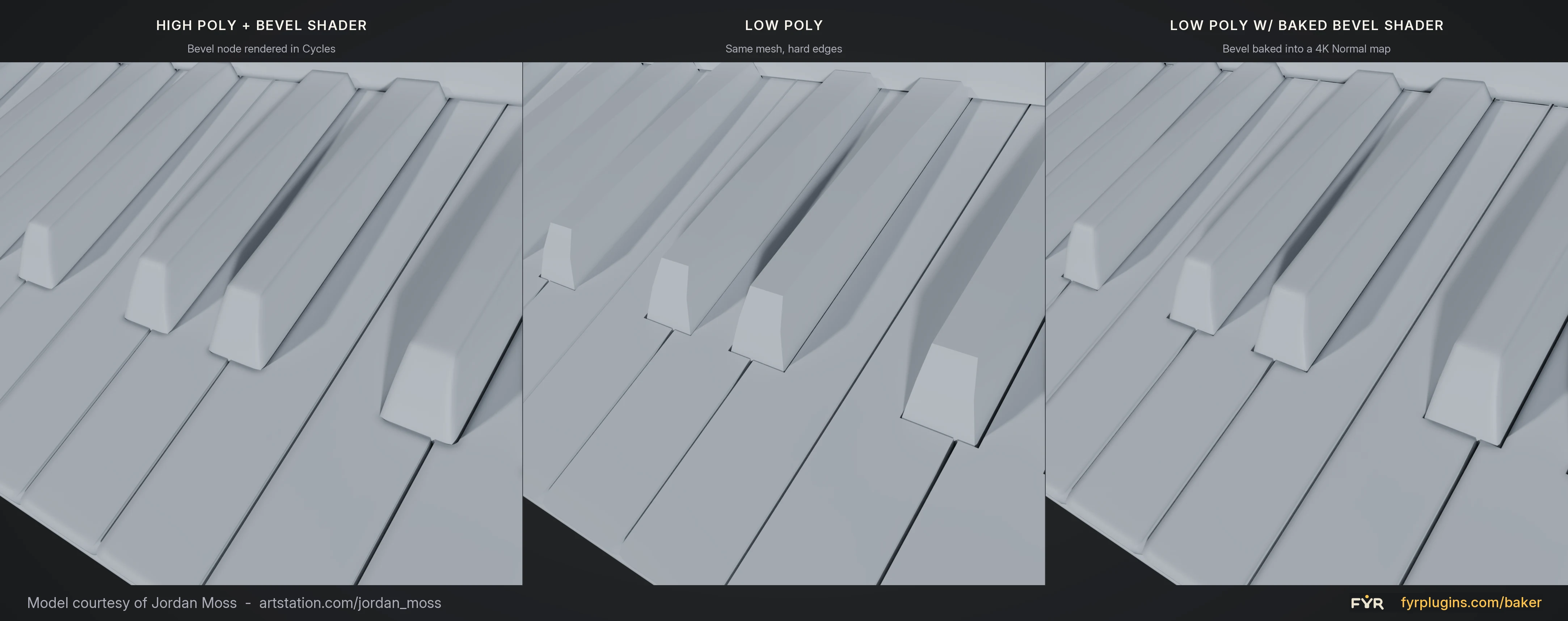
Round hard edges with Blender’s Bevel shader node instead of modelling every small bevel, then bake it into the normal map.
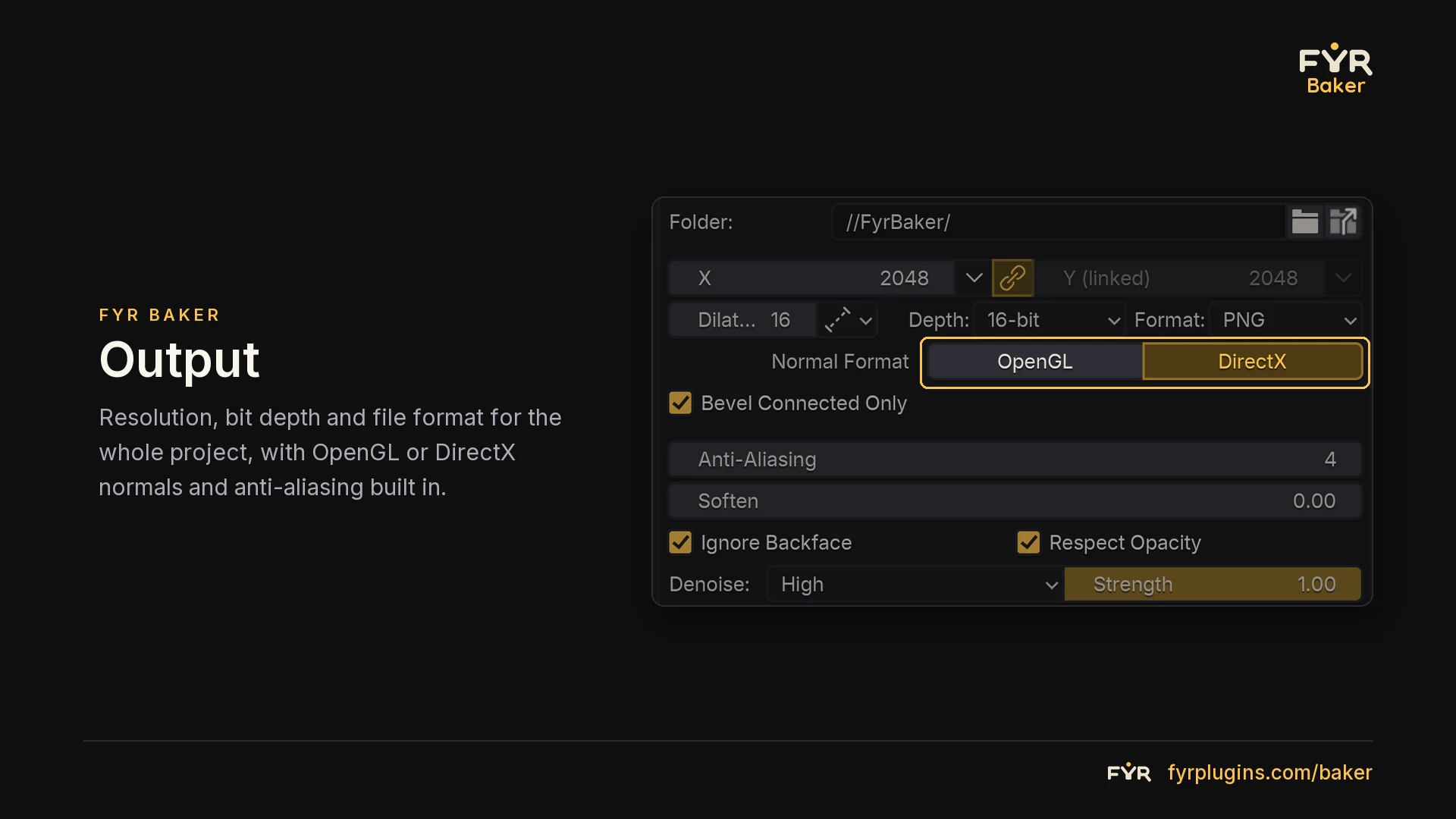
Name textures with tokens, pack channels, and save your own export templates. Export TGA, PNG, EXR, or TIFF, plus BCn-compressed DDS on Windows.
SimpleBake and most other Blender baking add-ons set up and run Cycles bake passes for you. That saves a lot of clicking, but the bake itself is still Cycles, with its cage options and its speed.
Fyr Baker brings its own ray tracer on Windows, closer to how Marmoset Toolbag and Substance 3D Painter bake. You get cage coverage in the viewport and painted offset and skew, and your meshes stay in the .blend. On macOS and Linux it bakes through Cycles.
| Workflow | Fyr BakerOwn ray tracer | SimpleBakeBlender Cycles wrapper | Blender / CyclesBuilt-in renderer | Marmoset ToolbagStandalone application | Substance 3D PainterStandalone application |
|---|---|---|---|---|---|
| Bake engine | Own ray tracer (Windows) | Drives Blender’s Cycles | Offline path tracer | GPU ray tracing | GPU ray tracing |
| Where you work | Inside Blender, no export | Inside Blender | Inside Blender | Separate app, export needed | Separate app, export needed |
| Cages & projection | Cages, paintable offset, skew | Ray distance, cage extrusion | Extrusion or manual cage | Interactive cages, paintable offset | Cages, paintable offset |
| Caching | Cached, rebakes changed maps | Re-evaluates per bake | Full rebuild per pass | Cached, instant rebake | Per-map rebake |
| Procedural materials | GPU-baked nodes, Cycles fallback | Principled channels, AOVs | Manual per-output passes | Within Toolbag shaders | Maps drive generators |
| Export & packing | Tokens, packing, EXR, DDS | Auto save, packing, batch | Manual image saving | Output sets, channel routing | Presets, packing, naming tokens |
Install the add-on from a .zip file. Bake projects are saved directly in your Blender scene.
Read the installation & workflow manual ↗Launch pricing. Pick the license that matches who will use it. Prices include VAT where it applies.
Includes all 1.x updates · Download right after payment
$25 one-time
Launch price. Regular price after launch: $35.
For one individual user: hobbyists, students, freelancers and one-person commercial work. Not for shared studio machines, team pools, or several people on one purchase.
$80 one-time
Launch price. Regular price after launch: $120.
For studios, teams and shared hardware. Everything in Personal, plus multi-seat deployment, shared workstation installation, one invoice for the team and priority technical support.
Card, Apple Pay, Google Pay, Klarna, iDEAL, BLIK, Revolut Pay and more
Buying for someone else? You’ll get a code to pass on.
Read the terms for the full purchase scope.
Yes. Baking runs through Cycles on CPU or GPU. Fyr-only anti-aliasing samples, denoising, diffusive AO and painted offset and skew are unavailable there, because Fyr’s DirectX 12 baker is Windows only.
There are no license keys or activation. Sign in on the account page with your purchase email, download the add-on and install the .zip in Blender.
New builds appear on your account page. Download the latest one and install it over the old version. All 1.x updates are included.
Personal covers one person, including commercial client work. Studio is for teams, several people, or shared workstations.
Yes. The price you see is the price you pay, with VAT included where it applies. EU businesses can enter a VAT ID at checkout and get an invoice under reverse charge.