Fyr Baker for Blender
High-to-low baking, right in Blender.
Fyr Baker has its own GPU ray tracer, written for baking. Set up your high and low poly in the scene, fix the cage where rays miss, and bake normals, AO, curvature or any of 22 other maps. It's the cage workflow you'd get in Marmoset Toolbag or Substance Painter, and your meshes never leave the .blend.
See Fyr BakerFrom $25 · One-time purchase · Blender 5.1+
How a bake goes
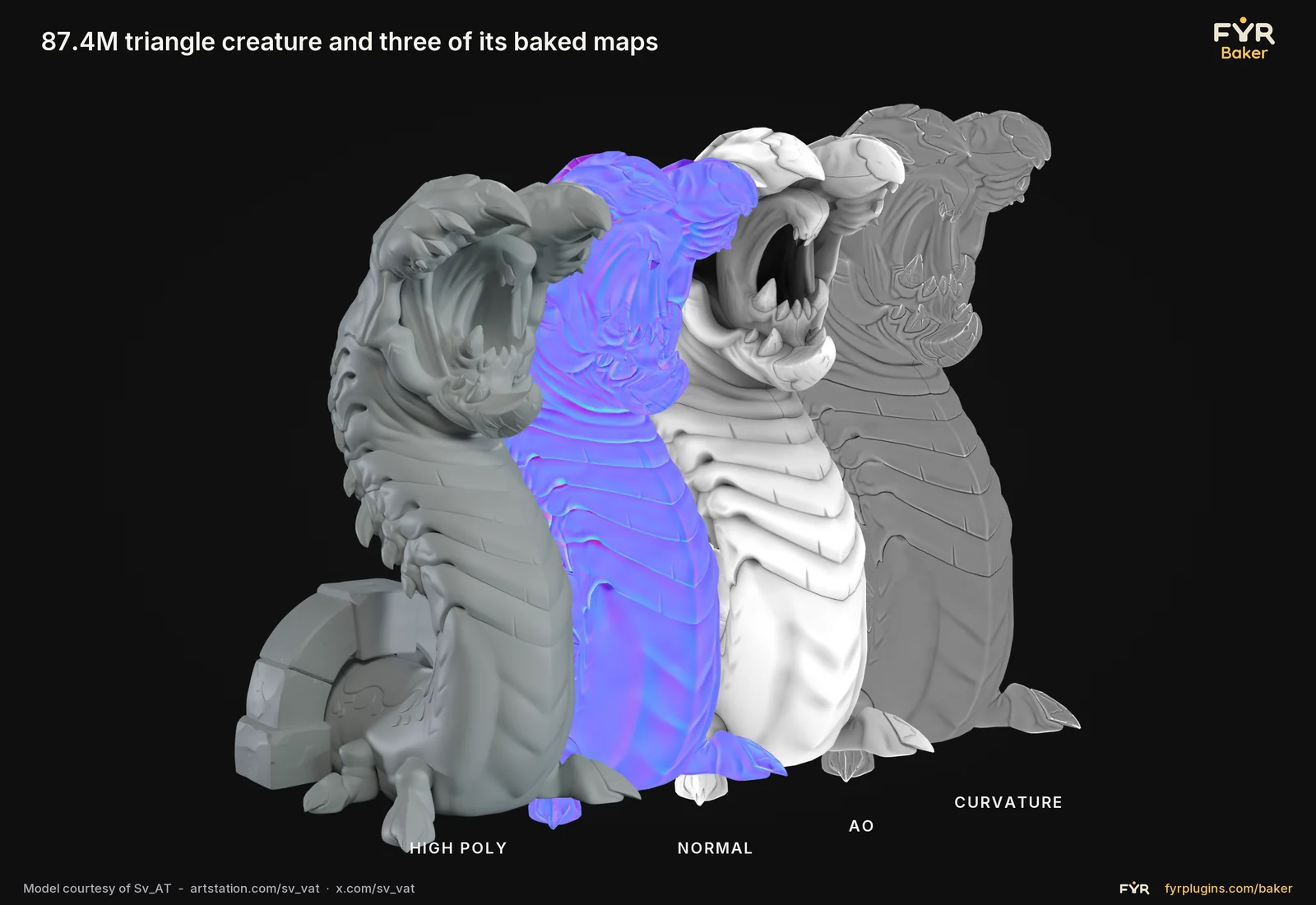
Put your high and low poly into bake groups, push the cage out where it clips, and watch ray coverage update on the model. Then bake normals from a sculpt, or a whole procedural material from its node tree, on the GPU.
When it looks right, pack channels into one texture, name the files with template tokens, and write them out for Unreal, Unity or glTF.
All Baker features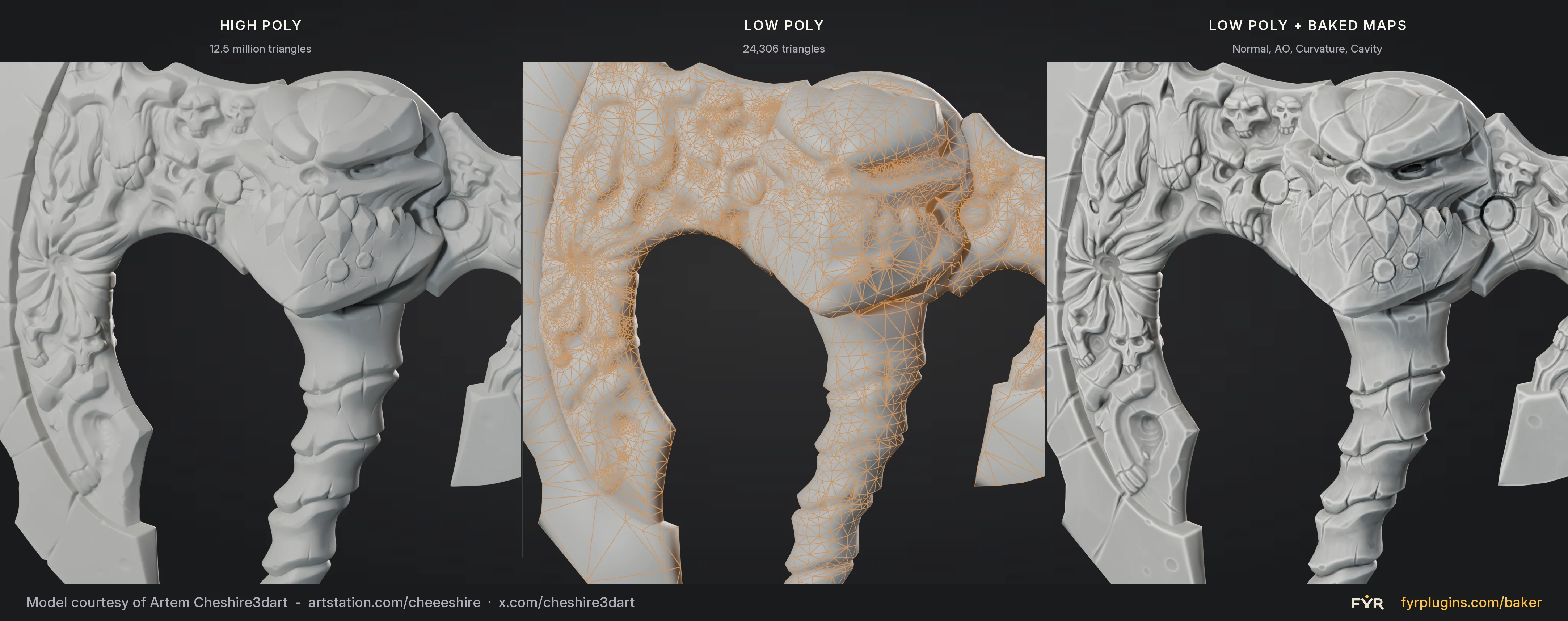
Compared with other bakers
Fyr Baker bakes with its own ray tracer on Windows and with Cycles on macOS and Linux, and your meshes stay in the .blend. The Baker page lays it out against SimpleBake, Blender's Cycles, Marmoset Toolbag and Substance 3D Painter.
Read the comparisonTexture baking guides
- What is texture baking? A complete guide for 3D artistsWhat baking is, where it came from, and why it sits at the center of almost every game and real-time art pipeline, from normal maps to lightmaps.
- How to bake procedural materials to PBR textures with Fyr BakerFlatten a Blender node material into base color, roughness, metallic and normal maps with Fyr Baker, then export them packed for your engine.
- How to bake the Bevel shader into a normal map with Fyr BakerRounded hard-surface edges without modelling a single bevel: bake Blender's Bevel shader into a normal map with Fyr Baker, with or without a high-poly.
Also in the works: Fyr Exporter for batch FBX export to Unreal, and Fyr Visualizer for checking scale and dimensions in the viewport.